Native for macOS, iPhone and iPad · Free & open source

A tmux client for the agent era

Your agents run on your own machine, inside tmux, where they survive a closed laptop and a dropped connection. Bento Term is the client: SSH in, see every pane's state at a glance, and answer the one that needs you — from the Mac or from your pocket.

Get it for Mac View on GitHub →

macOS 14+ · iOS 17+ · Apple Silicon

Open source (Apache-2.0)·Native Swift, not Electron·No accounts, no server of ours·Plain SSH to your own machine

Five panes. One of them needs you. Which one?

Running coding agents in tmux is already the right answer: they keep working when you close the laptop, and they are one ssh away from any device you own. What tmux does not do is tell you which pane is waiting on a permission prompt and which is still grinding — every pane looks the same until you visit it. Bento Term is a real tmux client that keeps tmux's model and adds the part the agent era needs.

Pane state

See who needs you — at a glance

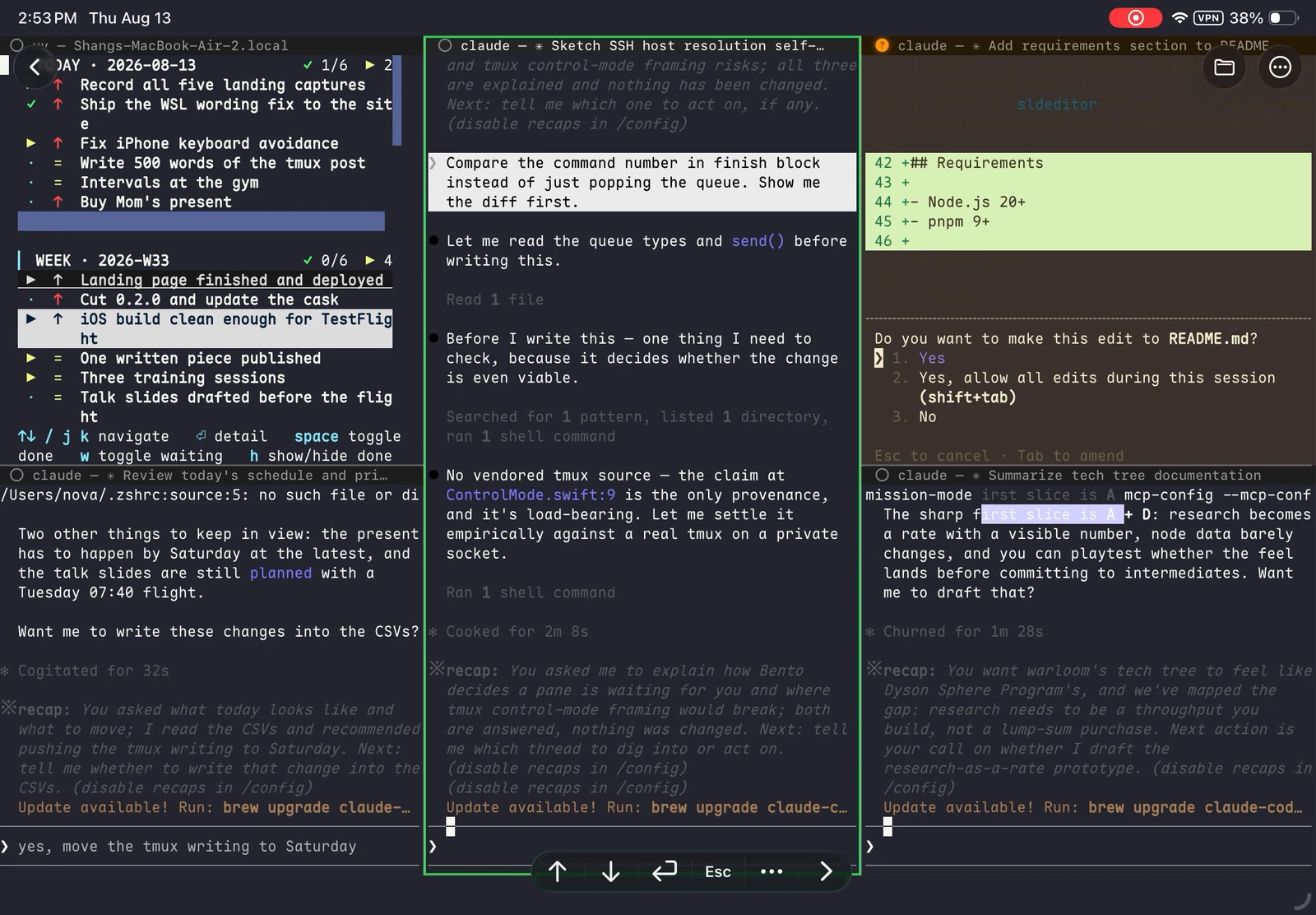
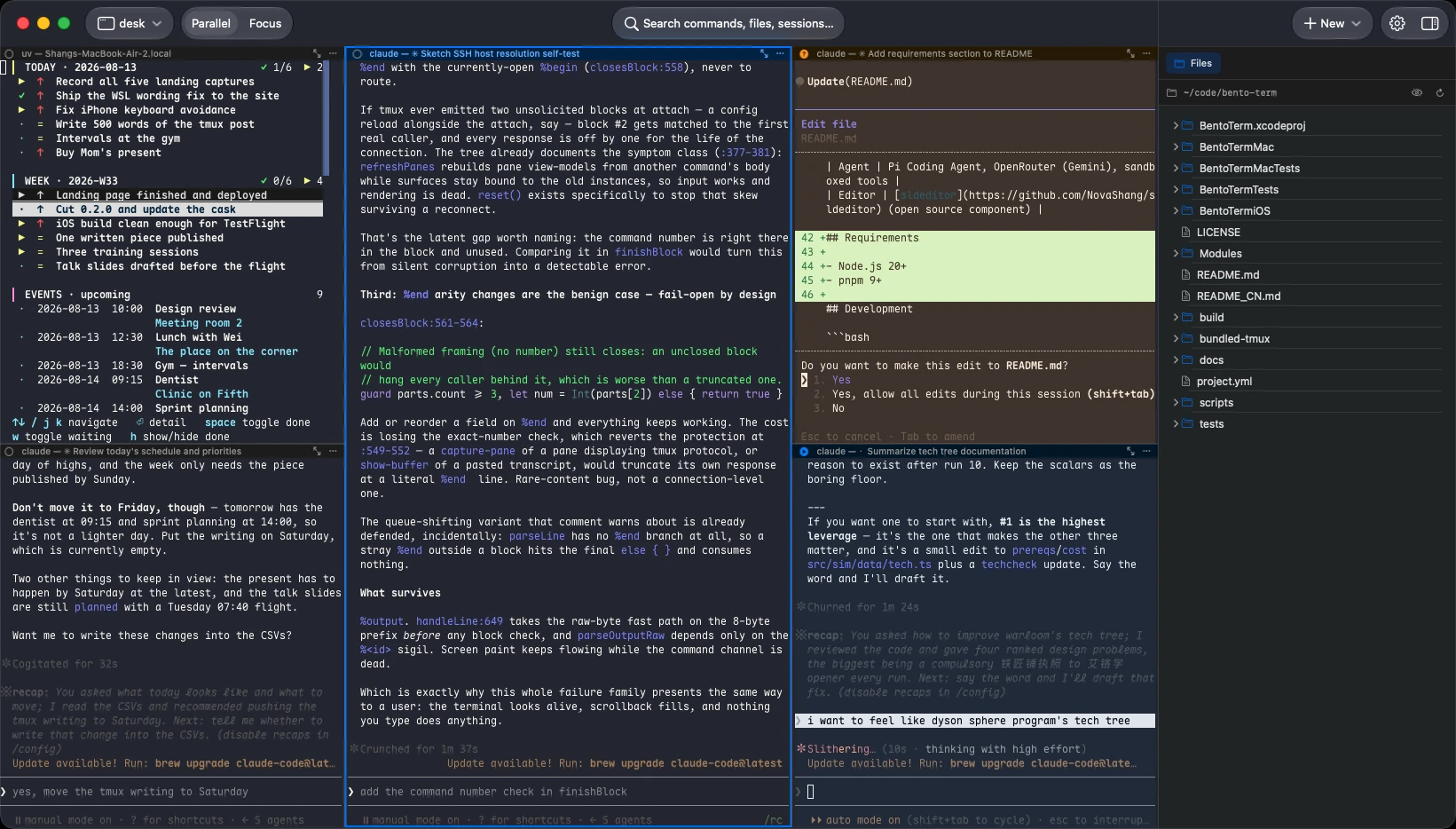
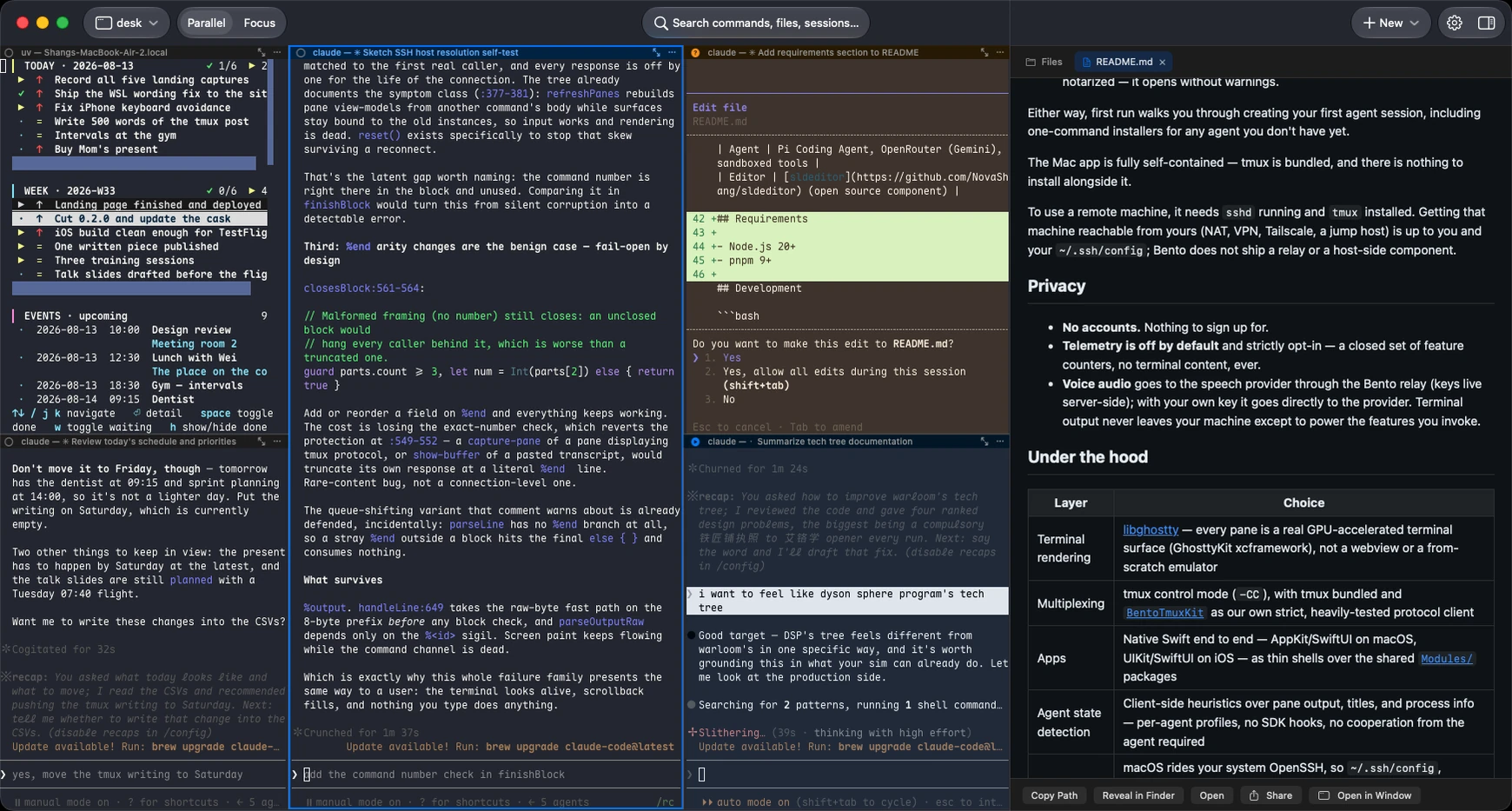
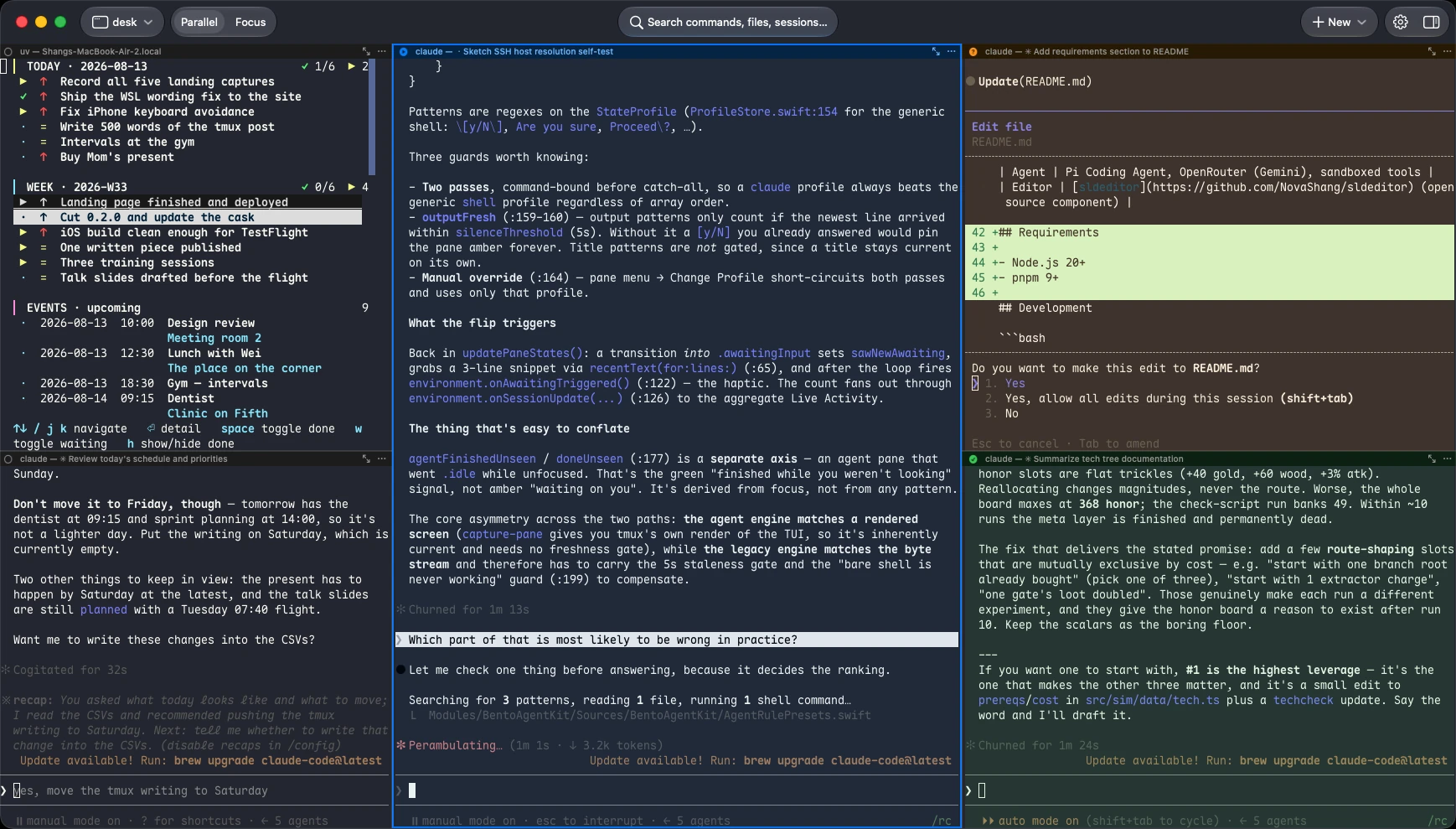
Every pane carries its state — working, waiting for you, done, or idle — in one colour-and-glyph language across the pane title bar, the session list, and the tabs. It is derived from what the agent actually puts on screen, per-agent, and it updates while you are looking somewhere else.

  • Knows the agents you run — Claude Code, Codex, Gemini CLI, OpenCode, Cursor Agent, Copilot CLI, Amp and more, each with its own detection rules.
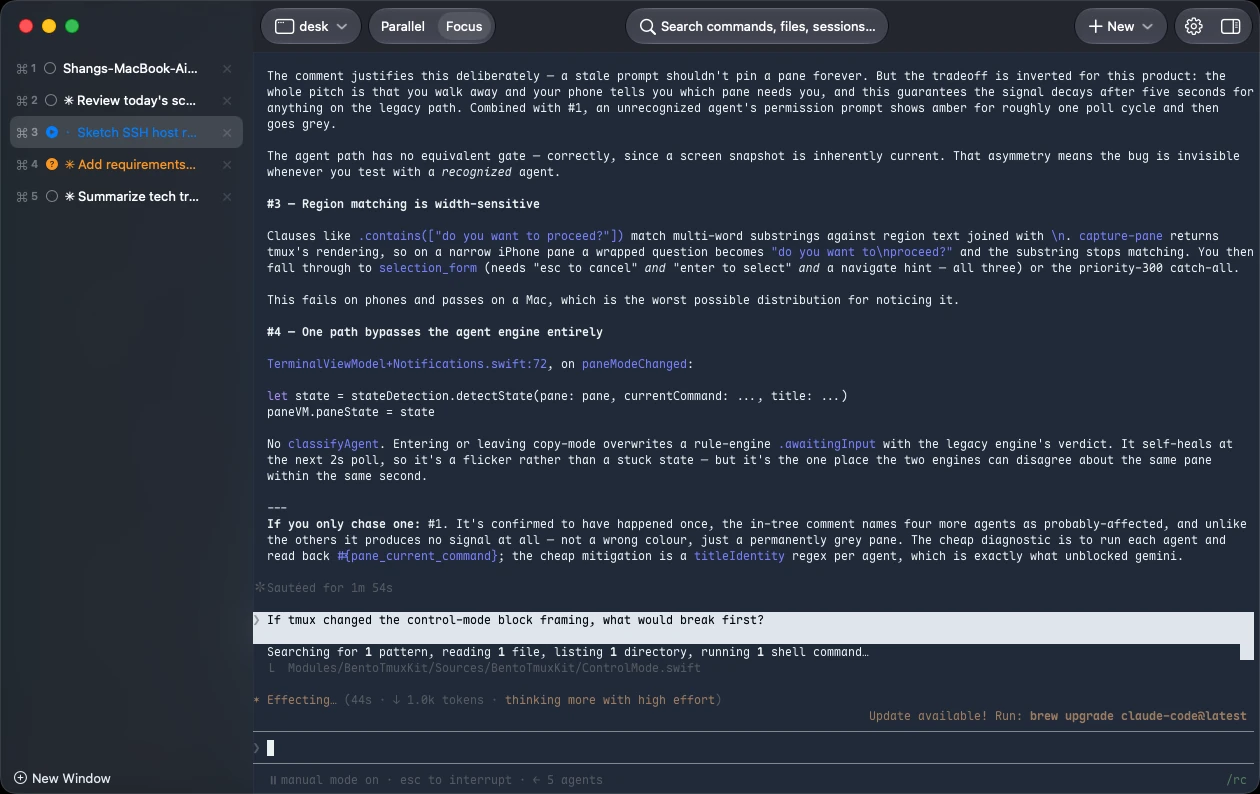
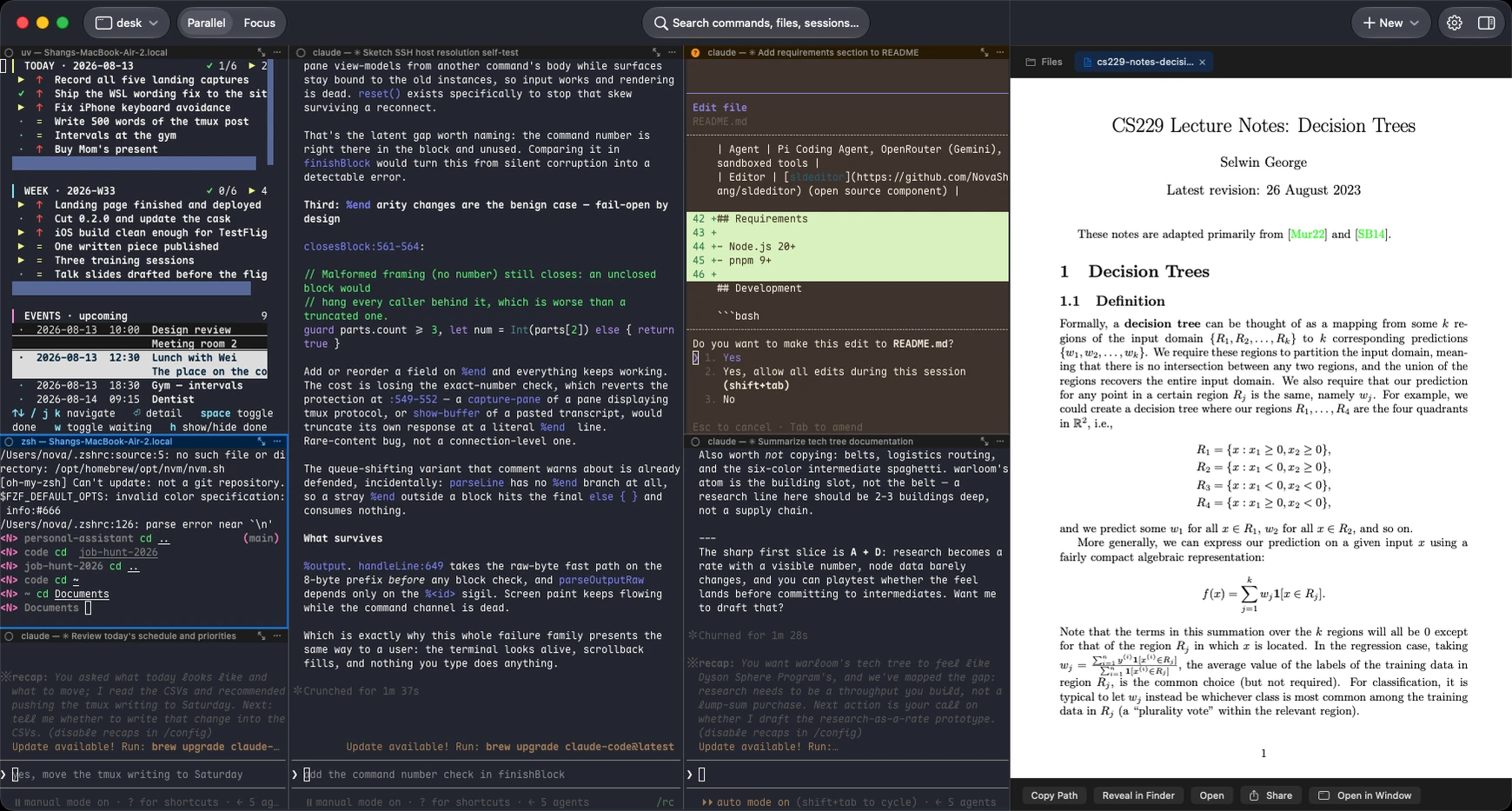
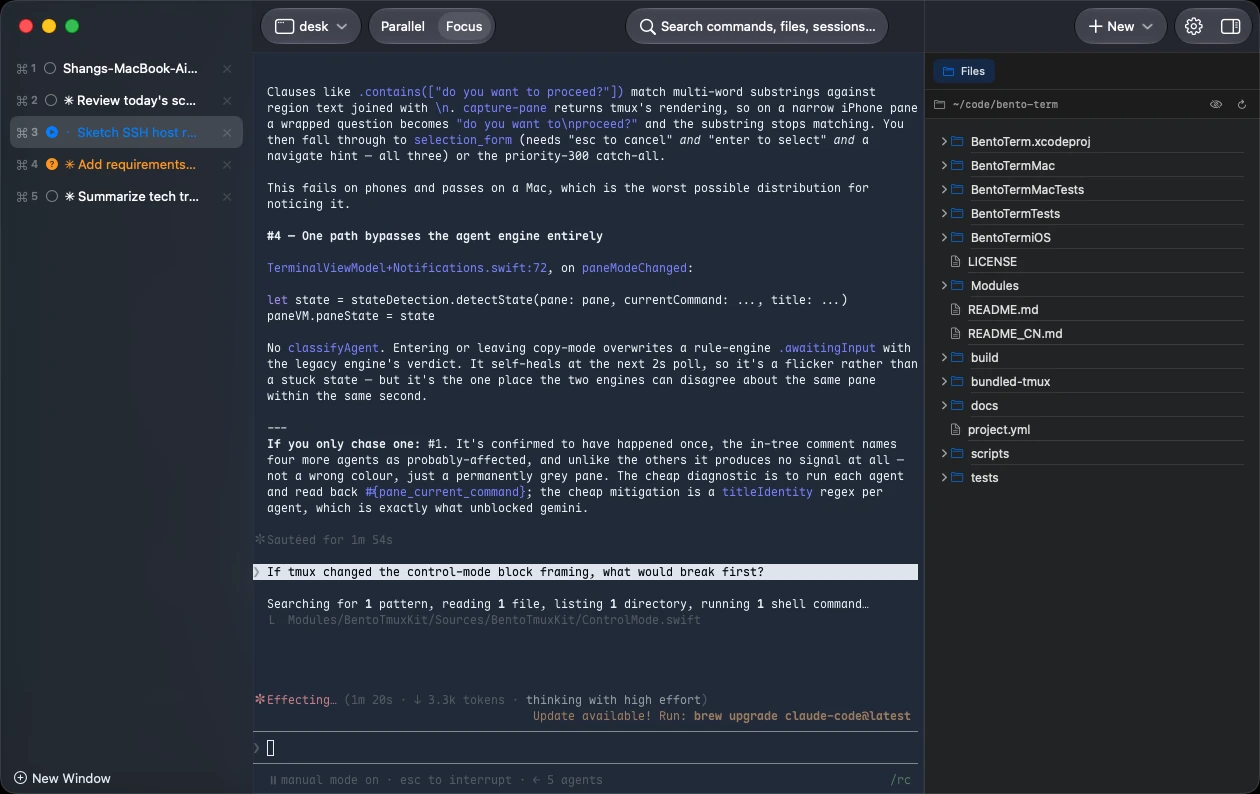
  • Parallel and Focus. Every pane tiled at once, or one pane full-size with the rest listed — a real tmux layout change, so tmux on the other end agrees.
  • Drag panes like an IDE — split, dock and swap with drop zones, including across windows.
refactor api clientworking
wants to edit auth.gowaiting for you
tests green — 42 passeddone ✓
readyidle

A real tmux client

It speaks tmux, it doesn't hide it

Bento Term drives tmux in control mode over your own SSH connection, so sessions, windows and panes are exactly what they are on the server. Nothing is renamed into invented concepts, and nothing is lost when you detach — attach from a terminal on the same host and it is the same session.

  • Your session outlives everything — the app, the network, the phone locking in your pocket.
  • Rendering by libghostty, the engine behind Ghostty: a real terminal, fast enough for full-screen programs, with true colour and ligature-capable fonts.
  • Bring your own hosts. On the Mac it reads the ~/.ssh/config you already have. Password or key auth, stored in the Keychain.
ssh you@your-machine
+ attached to session "payments-service"— 3 windows, 6 panes, still running
Close the laptop. Open the phone. Same session, same scrollback, same agents mid-thought.

Voice input

Speak instead of type

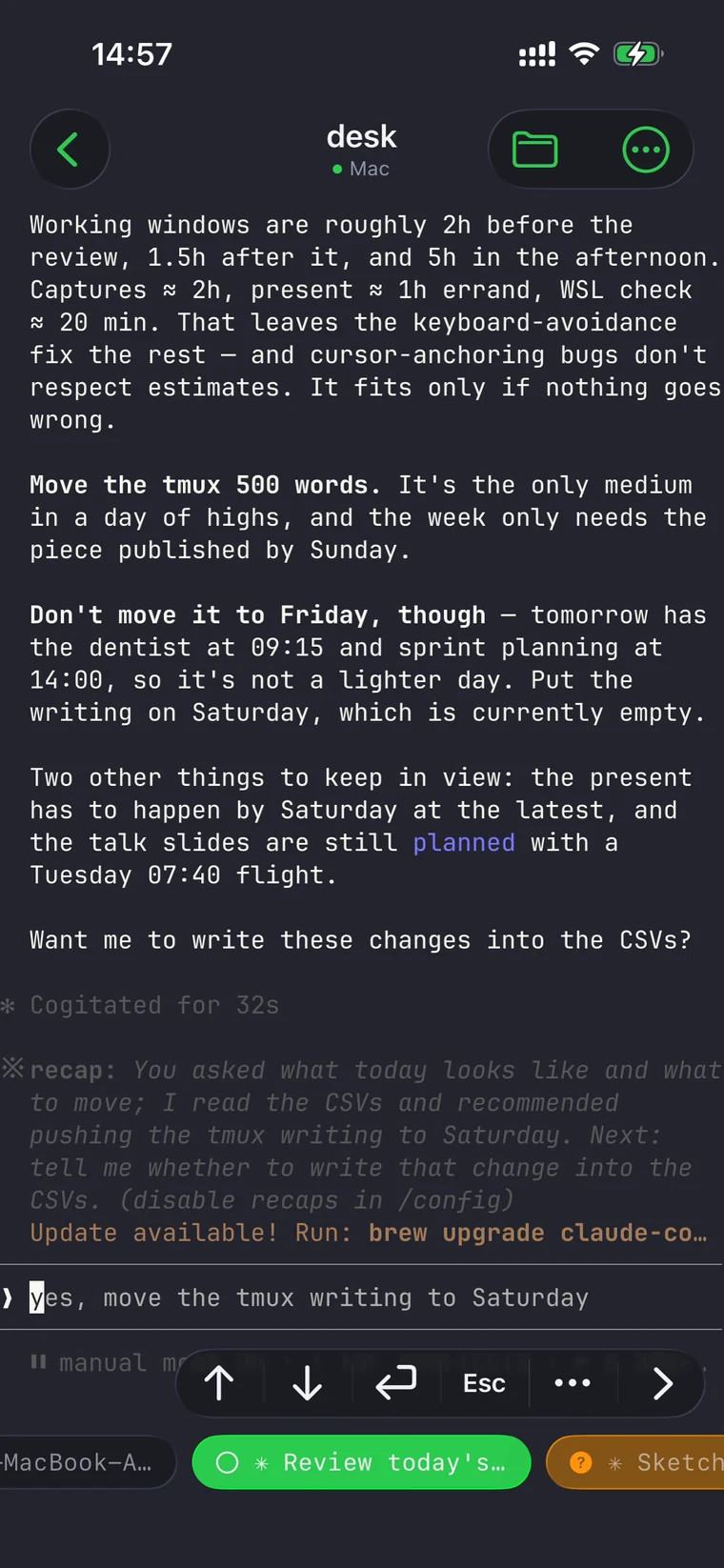
Hold and speak; release to drop the transcript where the cursor is, or send it straight through. On a phone this is the difference between answering an agent at a bus stop and waiting until you are back at a keyboard.

  • Knows what is on your screen. Recognition is biased by the text in the session, so file names and command names come out right — and mixed Chinese/English just works.
  • On-device by default. Apple's recognizer, nothing leaving the phone. Cloud engines are opt-in; see privacy.
"run the tests again,然后把 diff 发我看一下"
hold → speak release → insert slide up → send

And the rest of the box

Small things, done properly

⌘P command palette

Every command, session and pane behind one fuzzy search.

Click any path

A file path in the output opens a syntax-highlighted preview, read over the same connection.

Real mouse and keyboard

Full-screen terminal programs get the mouse reporting and key handling they expect.

Clipboard that crosses the wire

tmux's paste buffers and your system clipboard stay in sync.

Light, dark, follow-system

One appearance language across Mac, iPhone and iPad.

Built for the phone, not shrunk onto it

Keyboard avoidance that follows the real cursor, an inline compose bar for CJK input, and scrolling with proper inertia.

Privacy

Between you and your own machine

There is no account and no server of ours in the path — the app opens a plain SSH connection to a host you already administer. Terminal content never reaches us. Usage analytics are off by default and carry event names only, never content. Voice is on-device unless you choose otherwise. Read the privacy page →

Questions, answered

What do I need on the other end?

A machine you can already ssh into, with tmux installed. Bento Term installs nothing there and runs no server of its own.

Is this a tmux wrapper or a terminal?

Both, deliberately. It is a real terminal emulator (libghostty) driving tmux in control mode, so panes are tmux panes — attach from a plain terminal and you see the same session.

Does it work with agents other than Claude Code?

Yes. State detection ships with rules for around ten agent CLIs, and anything else still runs — it is a terminal.

How is state detected?

From what the agent prints, per-agent rules, on your device. No agent has to cooperate and nothing is sent anywhere to work it out.

Intel Macs?

Not currently — Apple Silicon, macOS 14+.

What does it cost?

Free, and open source under Apache-2.0.

Where do I report bugs?

GitHub issues — the tracker is public.
Your agents are already running. Go see them.

Download for Mac View on GitHub →

Free & open source · macOS 14+ · Apple Silicon

brew install NovaShang/bento/bento-terminal
iPhone and iPad: on the App Store shortly.